Quick verdict: Choose Filestage for simpler mid-market approval flows, Ziflow for high-volume workflow control, PageProof for proofing depth, and Workfront when approvals sit inside enterprise work management.
Creative approval software should remove uncertainty from production. The important question is not whether a tool accepts comments; almost all of them can. The real question is whether a producer can answer which file is current, who has approved it, what remains unresolved, and whether the team can move to handoff without translating feedback from email, chat, PDF markup, Figma threads, video timestamps, client calls, and project cards.
This is an editorial desk review based on public product pages, support documentation, pricing or license pages where available, and design-production workflow analysis. We do not claim private lab access, undisclosed vendor briefings, or direct hands-on review unless a page says so explicitly. Readers can review About Design Overflow and our editorial policy before relying on any recommendation.
Commercial link: Check current Filestage plans. Design Overflow may earn a commission if a partner credits this link, but the recommendation above is based on fit, license clarity, support risk, and source evidence.
Quick Verdict Matrix
| Option | Best fit | Main strength | Watch before buying |
|---|---|---|---|
| Filestage | Agencies and marketing teams cleaning up review rounds | Centralized feedback, annotations, version management, and review stages | May need another system for resourcing and planning |
| Ziflow | High-volume creative teams with repeatable review rules | Workflow automation, proof review, and brand or compliance checks | Too much workflow can feel heavy for small teams |
| PageProof | Teams that need polished proofing detail | AI-powered markup, proof status clarity, and review visibility | Best value when proofing depth matters, not casual comments |
| Adobe Workfront | Enterprises already managing work in Adobe operations | Approvals connected to assignments and work management | Overkill for studios that only need client feedback |
| Approval governance | Teams that repeat review cycles across clients or regions | Turns subjective feedback into clear version, approver, and status records | Bad process can become automated bad process |
The Approval Problem to Diagnose First
Before comparing tools, name the dominant failure mode. If reviewers cannot find the current proof, prioritize proof links and version clarity. If legal, brand, and regional stakeholders repeat the same checks, prioritize workflow rules and audit trails. If video, packaging, web banners, and documents move through the same team, prioritize format coverage and proofing fidelity. If the team already runs enterprise work management, prioritize integration rather than another lightweight island.
Filestage: client-friendly structure for review rounds
Filestage is strongest when the immediate pain is scattered feedback. Its online proofing guidance emphasizes centralized feedback, visual annotation, automated version management, structured workflows, faster approvals, integrations, and security. That maps well to agency projects where clients need a clear place to review files without learning an enterprise operations platform. It is less compelling when the real problem is capacity planning, budget forecasting, or portfolio reporting.
Ziflow: stronger fit for repeatable high-volume reviews
Ziflow positions itself around online proofing for creative and marketing teams, with ReviewAI described as an automation layer for creative reviews. That makes it more interesting when reviews are frequent, regulated, or multi-step. A product launch or seasonal campaign may need required reviewers, status visibility, and checks that reduce repeated human work. The risk is overbuilding; configure the workflow around actual review risk rather than every possible step.

PageProof: proofing depth and review confidence
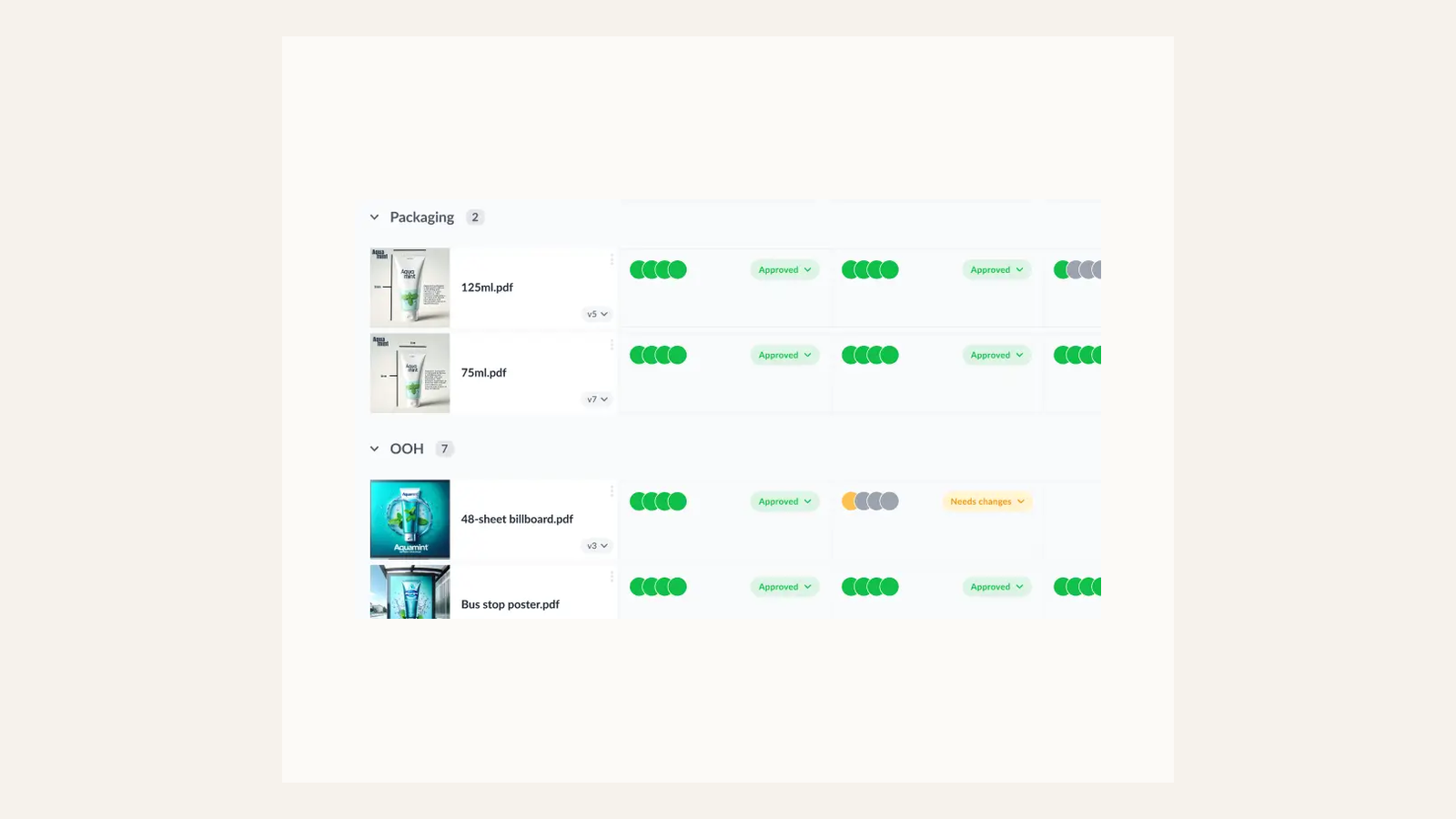
PageProof describes itself as online proofing software for reviewing and approving creative work, with AI-powered markup. It is strongest when proofing quality itself is the job: packaging, digital ads, documents, HTML banners, or creative files where comments must land in the right context. If missed details create rework or production risk, PageProof deserves closer evaluation.
Adobe Workfront: best when approvals live inside enterprise work
Adobe Workfront belongs in the comparison when creative approval is one lane in a larger work-management system. Its proof documentation explains assigned approvals and proof decisions inside Workfront. That is useful when intake, assignments, compliance, and reporting already live there. For an independent studio, it may be too much system for a straightforward client review flow.
Approval governance: the operating layer that matters after purchase
The strongest approval setup is a process, not merely a vendor. The team should define who can approve, who can request changes, which comments block launch, and how final signoff is archived. Without those rules, any platform becomes another inbox with better annotation tools.
Buyer Scenarios
Use the shortlist against a real production scenario before buying. A solo designer, a three-person studio, an in-house creative operations team, and a client-side brand manager do not have the same risk. The safest decision names the current project, the person responsible for adoption, the budget owner, the license or support risk, and the exit path if the product stops fitting. If the team cannot name those five things, the product may still be interesting, but the buying decision is early.
For client work, document the source, account owner, license or renewal rule, and files that need to remain accessible after the project closes. That handoff discipline is especially important for fonts, stock assets, templates, hardware warranties, and systems that depend on paid seats. A tool that looks inexpensive at checkout can become expensive when the next designer cannot access the files, when a license does not cover the final deliverable, or when a reviewer approves the wrong version.
How to Choose Without Overbuying
Run one real campaign through the trial. Use one static asset, one motion asset, one document, and one revised version. Invite a designer, producer, client reviewer, and final approver. Evaluate whether reviewers can identify the current version, whether comments attach to the right frame or timestamp, whether resolved comments remain auditable, and whether the system creates less admin than it removes.
The practical rule is simple: buy for the bottleneck you can name, not for a feature list you might use later. If the bottleneck is version confusion, fix review status. If the bottleneck is license uncertainty, fix rights documentation. If the bottleneck is color trust, fix the monitor and calibration process. If the bottleneck is production speed, use templates as a starting structure rather than a finished brand decision.
Internal Reading
For related decisions, read design system workflow, software deal discipline, review methodology, creative brands screen. The goal is to connect each purchase to the broader studio system rather than make isolated tool decisions.
Sources Checked
- Filestage online proofing workflow guide
- Ziflow online proofing software
- PageProof online proofing software
- Adobe Workfront proof review documentation
- Adobe Workfront review and approval workflows
FAQ
Which tool is safest for agency clients?
Filestage is usually the safest starting point when the main problem is review clarity rather than full work management. It gives clients one obvious place to comment, approve, and compare versions. The safer choice can change if the agency needs enterprise governance, legal routing, or deeper integration with existing project systems.
When is Ziflow worth the extra setup?
Ziflow becomes more useful when approval work repeats at volume, involves required reviewers, or includes brand, legal, regulatory, or compliance checks. It is less compelling for a small team that only needs cleaner comments. The setup cost makes sense when the workflow has enough repetition to reward templates and routing rules.
Is Workfront a proofing tool or project-management tool?
Workfront is broader than proofing. It can support proof decisions, but its strongest case is connecting approvals to enterprise work management, resourcing, status, and governance. A studio should not buy it only because a proofing feature looks useful; it needs a wider operations reason and a team ready to maintain it.
Do these tools replace creative judgment?
No. They reduce confusion around comments, versions, deadlines, and approval status, but a creative owner still decides which feedback improves the work. The best approval tool protects decision quality by making context visible. It cannot decide brand taste, campaign strategy, or whether a late comment is actually useful.
Studio Implementation Notes
For approval tools, the implementation plan should start with reviewer roles rather than software settings. Decide who is allowed to give directional feedback, who can request factual corrections, who can block launch, and who gives final approval. Then map those roles into the platform. If everyone can do everything, the tool will preserve ambiguity instead of removing it. A second useful habit is to close each round with a written decision summary: what changed, what was rejected, what remains open, and which version is now approved. That summary protects the producer when a stakeholder later references an old file or repeats a resolved comment.
Final Studio Decision Check
A team should also write the approval language before configuring any product. Define what "approved," "approved with changes," "needs revision," and "not in scope" mean for the studio. Then decide whether a comment is informational, blocking, or a request for a new brief. This vocabulary matters because most review delays are not caused by missing software; they are caused by mismatched authority. A client may think a comment is a suggestion while a producer treats it as a required change. A legal reviewer may approve copy but not visual hierarchy. A brand reviewer may approve layout but not usage rights. The tool should make these boundaries visible. When the platform cannot express them clearly, the team should simplify the process rather than add another approval lane.
Production Proof Before Purchase
A final pre-purchase check should include one real project artifact. For software, use a live component, proof, template, font, or asset instead of a theoretical example. For hardware, place the device in the actual desk setup and confirm cable reach, lighting, ergonomics, warranty, and support path. For marketplaces and licenses, record the exact source, permitted use, account owner, and handoff note. This practical check keeps the decision grounded in production rather than preference. It also gives the studio a reusable audit trail if the client asks why the product was chosen later.